JETT File Uploader - Move documents into your workflow instantly
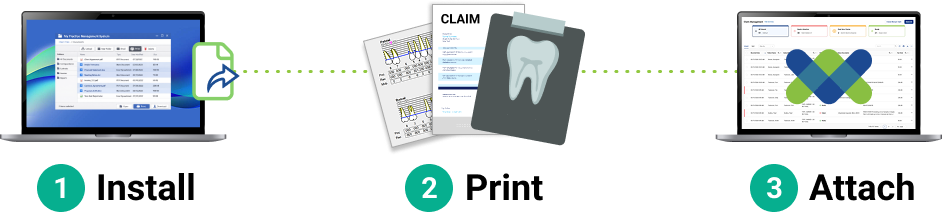
Supporting documentation as easy as 1,2,3
With the JETT File Uploader, documents from your PMS don’t just get printed—they go straight to work in Vyne Trellis. Supporting files like x-rays, perio charts, and clinical notes are instantly available for claims, attachments, and communication, eliminating manual handling and local file storage.
The result: faster claim submission, fewer delays from payers, and less time spent managing documents—all in a secure, centralized workflow.
Install JETT File Uploader Plugin – 2 mins
STEP 1
Log in to Vyne Trellis
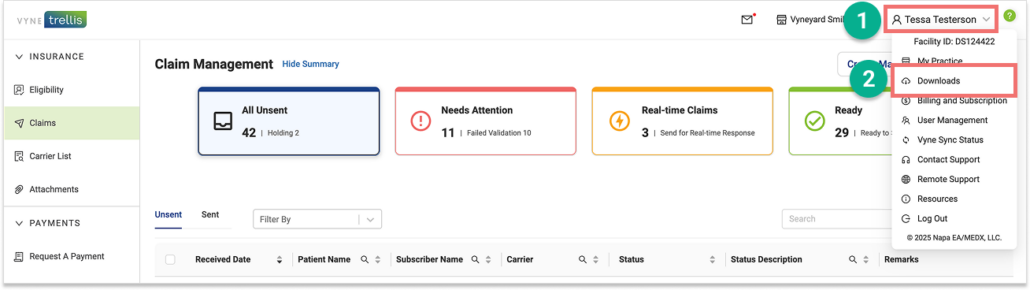
1. Click on your User Name in the upper right hand corner. 2. Select “Downloads” from the menu
STEP 2
Download the JETT Plugin
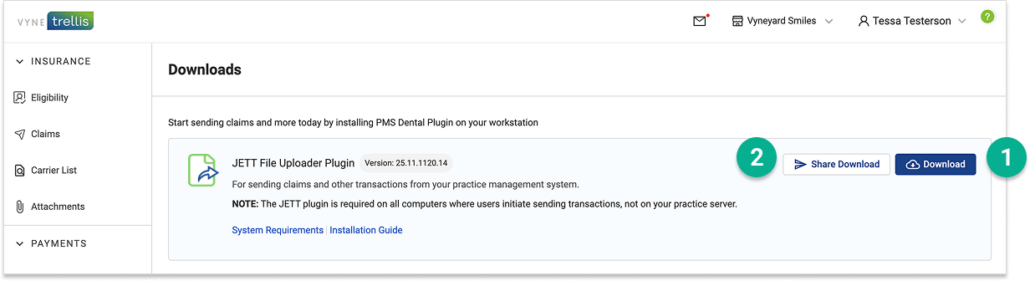
1. Select the “Download” button to save the JETT Plugin. 2. You can also share the JETT plugin with your IT team if needed by clicking the “Share Download” button.
STEP 3
Locate the downloaded JETT Plugin
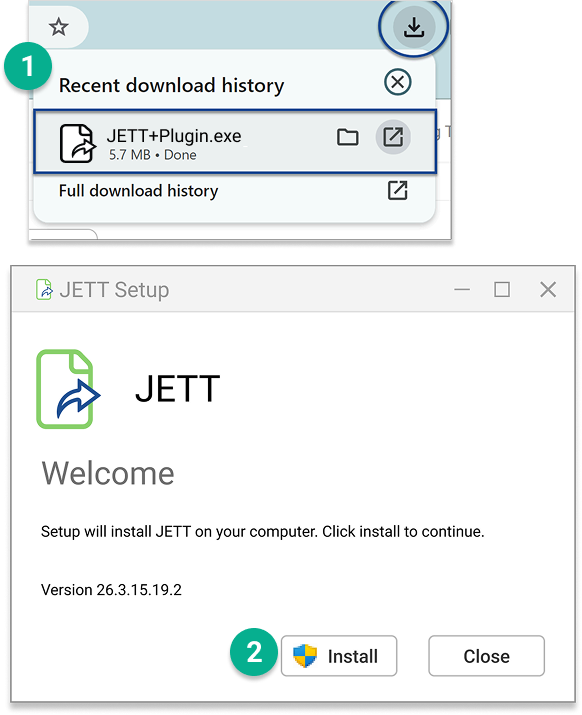
1. Locate the JETT Plugin icon on your desktop. The executable file may be found within your browser or in your File Explorer on your computer. Double-click to open it. 2. You will be guided through a simple process to complete the installation.
Using JETT-Uploaded Files in Vyne Trellis
Files uploaded with JETT are instantly available in Vyne Trellis for claims attachments, secure email, and other workflows.