Get Started Collecting Outstanding Patient Balances!
Make it easier for patients to pay you via text or email with online and point of care payments. Meet your patients where they are, and get paid faster.
STEP 1
Create Your Merchant Account
To start processing payments, set up a merchant account with our partner, Stripe, through our streamlined onboarding process. Your progress is automatically saved, allowing you to complete the form at your convenience.
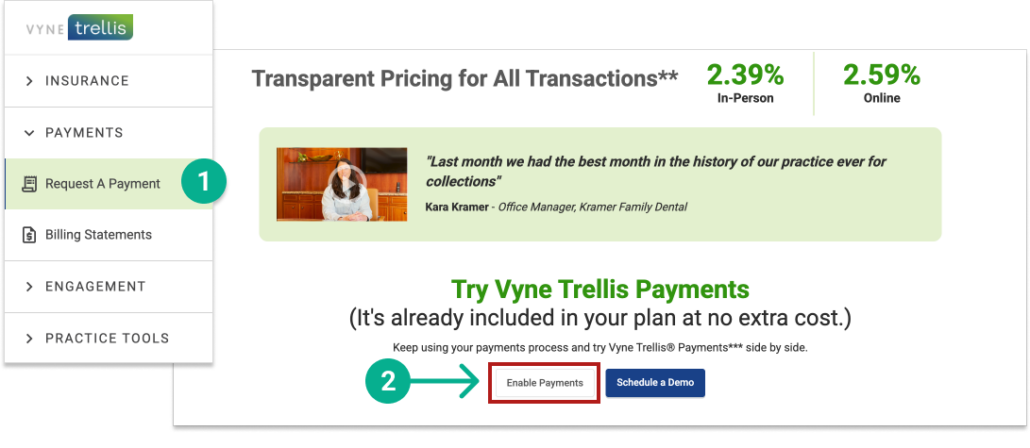
1. Log into https://app.vynetrellis.com/ and click on “Request a Payment” in the left sidebar 2. Scroll down to the bottom of the page and click the “Enable Payments” button. Follow the step-by-step instructions to complete your Stripe Enrollment.
Take patient payments over the phone or online via Vyne Trellis
The Virtual Terminal allows your team to securely key in payment details to accept phone, mail, or online payments so you can collect revenue without the patient being in the office.
To collect outstanding balances, swiftly send payment requests via text or email. Easily send requests to multiple patients at once or individually to specific patients.