Buy Now, Pay Over Time:Flexible Payment Options with Affirm Financing
The Problem: Paying in Full Just Isn't Realistic for Every Patient
When patients can’t pay their full balance up front, many simply don’t pay at all. Whether it’s due to affordability concerns, declined cards, or delays in follow-up, this leads to growing accounts receivable, more write-offs, and increased staff time spent chasing down payments. You’re left without the revenue you’ve already earned—and without a reliable way to resolve it.
The Solution: Flexible Payment Options
Vyne Trellis is partnering with Affirm to offer patients a simple way to break up payments into manageable chunks—without requiring your staff to manage payment plans or follow up on collections. With flexible options built directly into your payment flow, patients are more likely to pay on time, and your practice gets paid up front, with no added effort.
Buy Now, Pay Over Time with Vyne Trellis – 5 mins
What is Buy Now, Pay Over Time from Affirm?
Buy Now, Pay Over Time (BNPOT), with Affirm, is now available within Vyne Trellis. Patients can select flexible payment options during checkout:
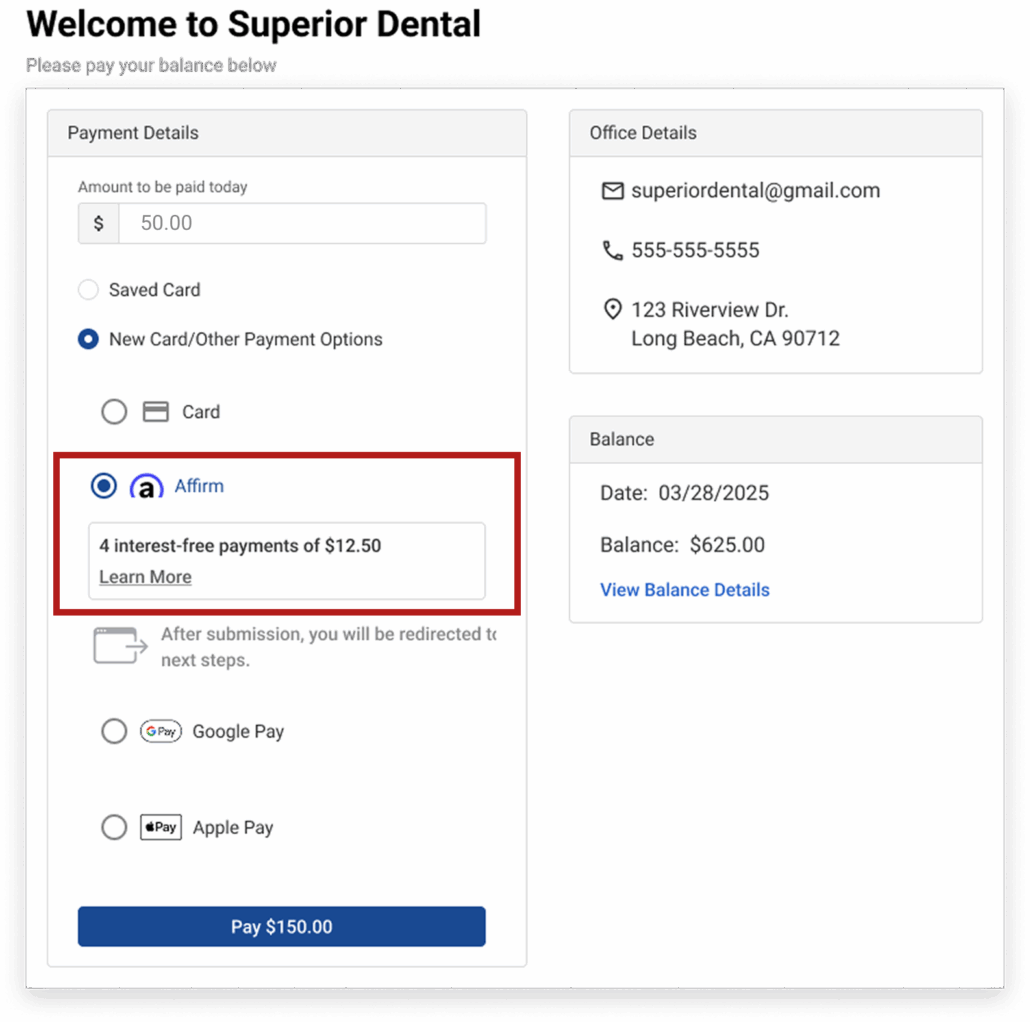
Pay in 4 interest-free payments for balances between $150–$250.
Long-term installments for visit balances between $150 to $30,000, with interest rates ranging from 0%–36% APR contingent on a soft credit check.
Your practice is paid up front at the time of transaction. Affirm handles all repayment, approvals, and follow-up—so your staff doesn’t have to.
How to Enable Buy Now, Pay Over Time in Vyne Trellis
New Vyne Trellis Payments customers: BNPOT is already enabled. No setup required.
For Existing Vyne Trellis Payments customers:
STEP 1
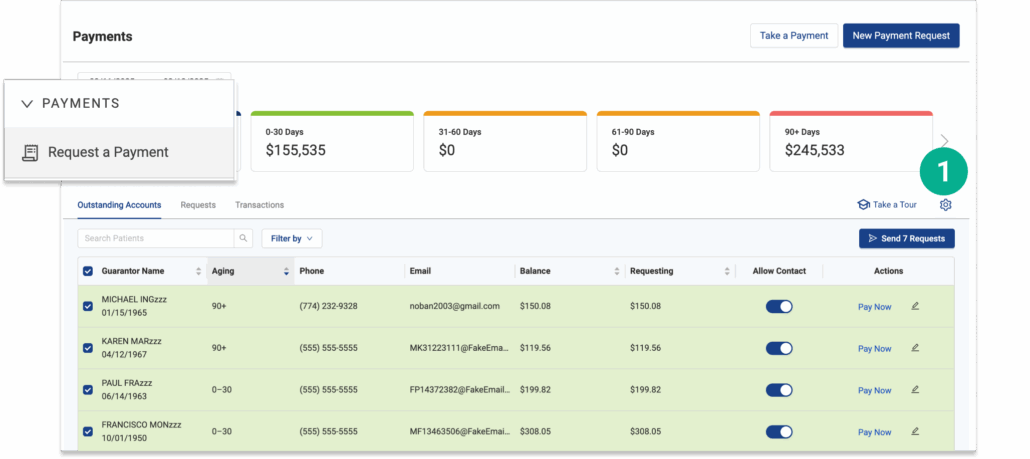
Open Vyne Trellis and click on "Request a Payment" in the left sidebar
1. Select the settings icon
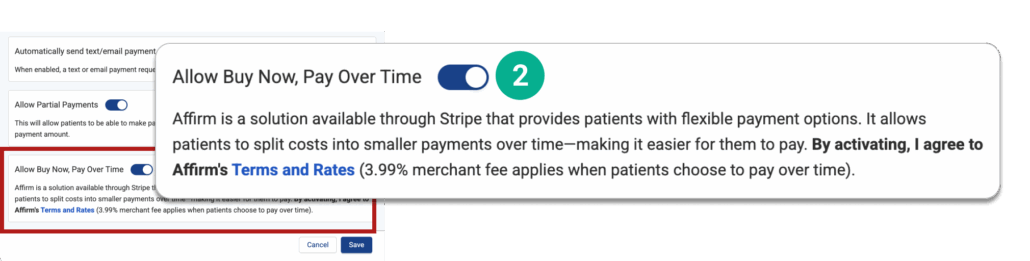
2. Toggle the “Allow Buy Now, Pay Over Time” option to ON and click “Save”.
That’s it—financing will now appear automatically in all supported patient payment flows (mobile link, billing statement QR code, etc.).
What Patients See and What You Need to Know
When patients begin the payment process—whether on their phone, in-office, or online—they’ll now see a new “Pay Over Time” option if their balance qualifies.
Once Selected:
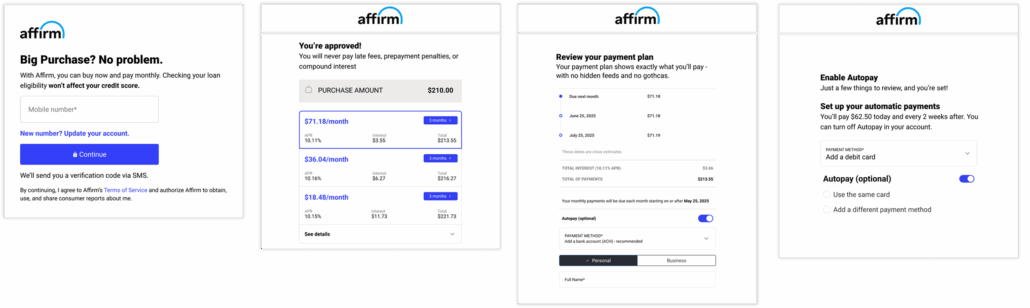
They’ll go through a soft credit check with Affirm.
Approved patients will see available financing terms.
Affirm manages the repayment process directly with the patient.
For your practice, nothing changes:
You don’t handle approvals, terms, or collections.
You’ll see payments post like any other Vyne Payment.
If a patient is declined, they return to the standard payment screen automatically. No new workflows. No follow-up required. Just a smarter way to help patients pay—and a faster way for your practice to collect.
For approved talking points for practitioners to use with customers directly, please refer to the Stripe User | Affirm Resources page.
When Patients Have Questions
Your team doesn’t need to manage anything related to the financing terms or repayment process with Affirm.
If a patient has questions about their potential purchasing power and want to pre-qualify, they can fill out their details on the Affirm website: www.affirm.com/user/signup.
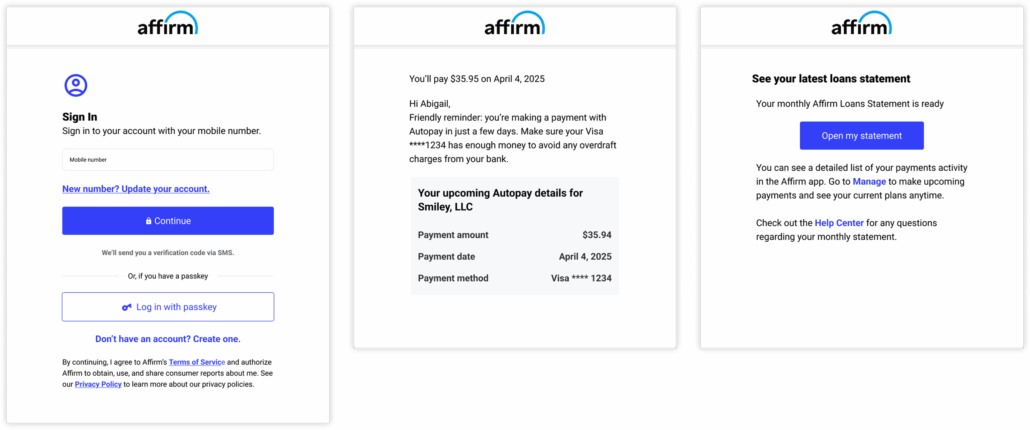
If a patient has questions about their payment schedule, balance, or account details with Affirm, they can log into their Affirm account directly at www.affirm.com/user/signin.
From there, they can view their payment plan, update their information, or contact Affirm’s support team.
Pro-tip for your team:
If a patient reaches out to your office with a question about Affirm, just point them to that link (affirm.com/user/signin) and let them know all financing support is handled directly through Affirm—not your practice.
Download our information sheet that covers frequently asked questions (and answers) you can share with your patients.
*Rates from 0-36% APR. Payment options through Affirm are subject to an eligibility check, may not be available in all states, and are provided by these lending partners: affirm.com/lenders. Options depend on your purchase amount, and a down payment may be required. CA residents: Loans by Affirm Loan Services, LLC are made or arranged pursuant to a California Finance Lenders Law license.