Increase Collections and Prevent Bad Debt with Batch Payment Requests
Outstanding balances quickly turn into bad debt as time passes. Batch payment requests dramatically improve your likelihood of getting paid.
According to the ADA, new patient retention is only 41% on average for dental practices, while existing patient retention is around 85%.
This means that nearly 6 out of 10 new patients won’t return after their initial visits, making in-office collections unlikely.
By sending online payment requests in batch, Vyne Trellis® Payments dramatically improves the likelihood of being paid.
Batch Payments – 9 mins
STEP 1
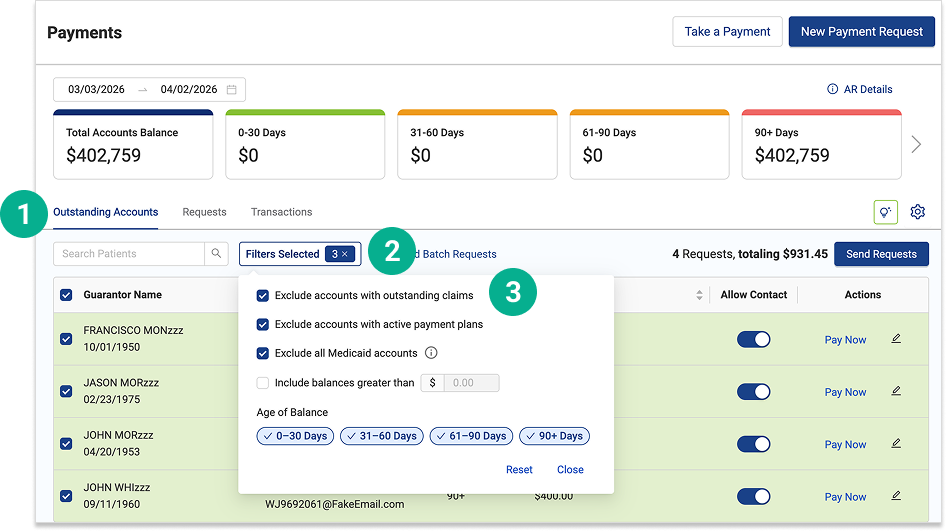
Open Vyne Trellis and click on Payments in the left sidebar
1. This will take you to the Outstanding Accounts tab. This tab shows all patients with outstanding balances. 2. Select the Filter dropdown menu. 3. You can easily filter your list by:
Claim status
Payment plan use
Medicaid
Balance amount
Balance age
STEP 2
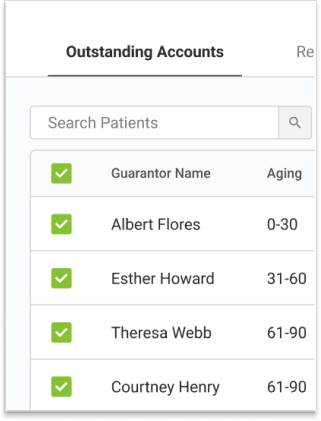
Select Patients You Would Like to Request Payment From
Use the checkboxes on the left side of the tab to select the patients you would like to request payment from.
STEP 3
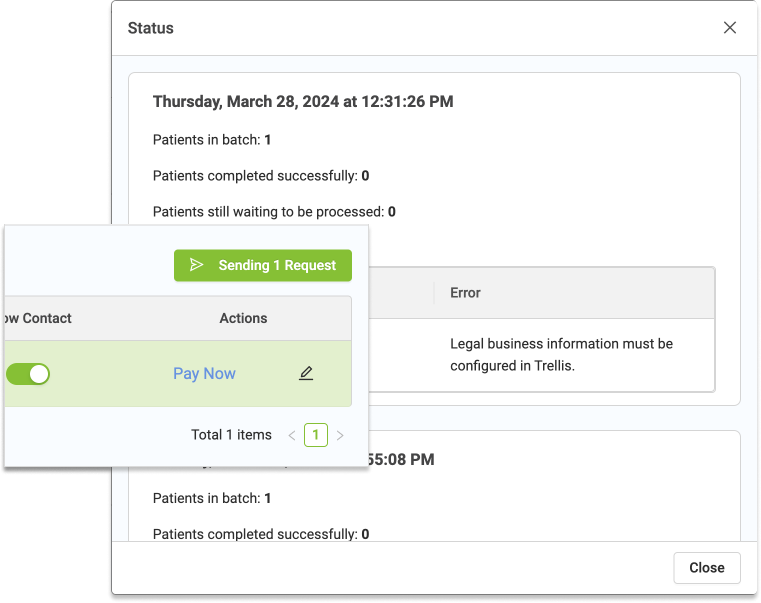
Click the “Sending # Request(s)” button on the right side of the screen to send the requests
A new screen will open showing the status of the message. If no errors appear this screen can be closed. If an error appears follow the listed steps to resolve the issue or reach out to our support team for additional help
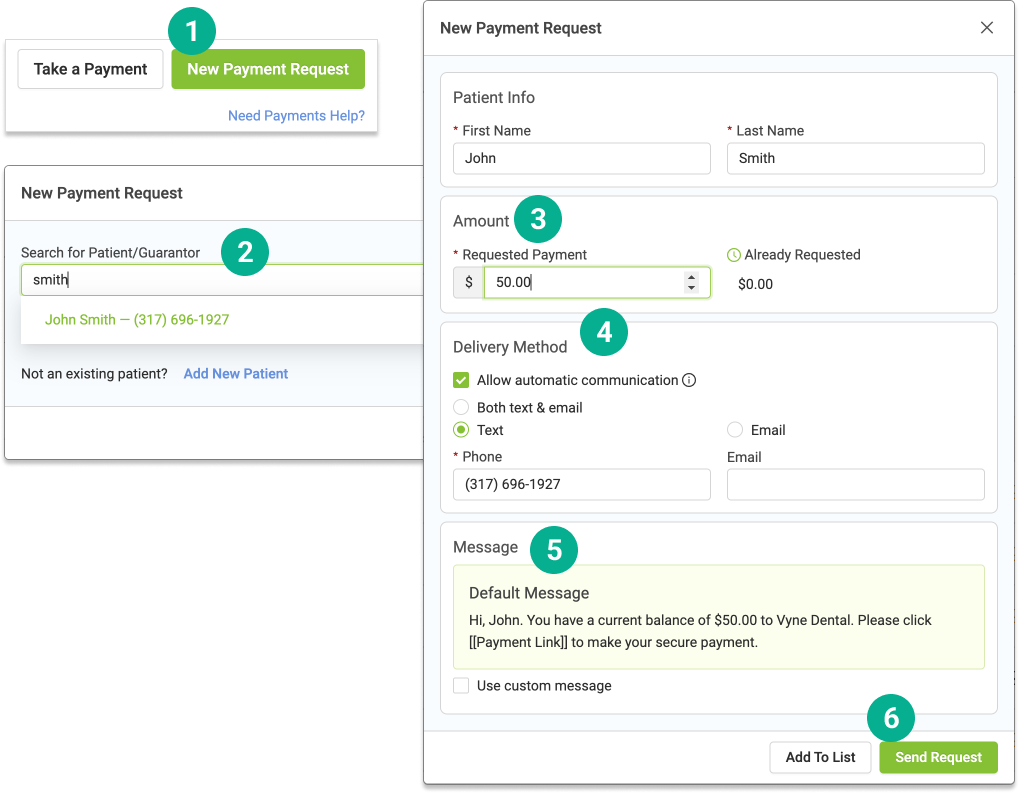
To send a single payment request:
1. To send a single payment request click the “New Payment Request” button in the top right corner of the screen 2. Search and select the patient you would like to message 3. Adjust the amount you would like to request from the patient 4. Specify delivery method (text, email, or both) 5. Edit the wording of the message 6. Click “Send Request” in the bottom right of the screen